


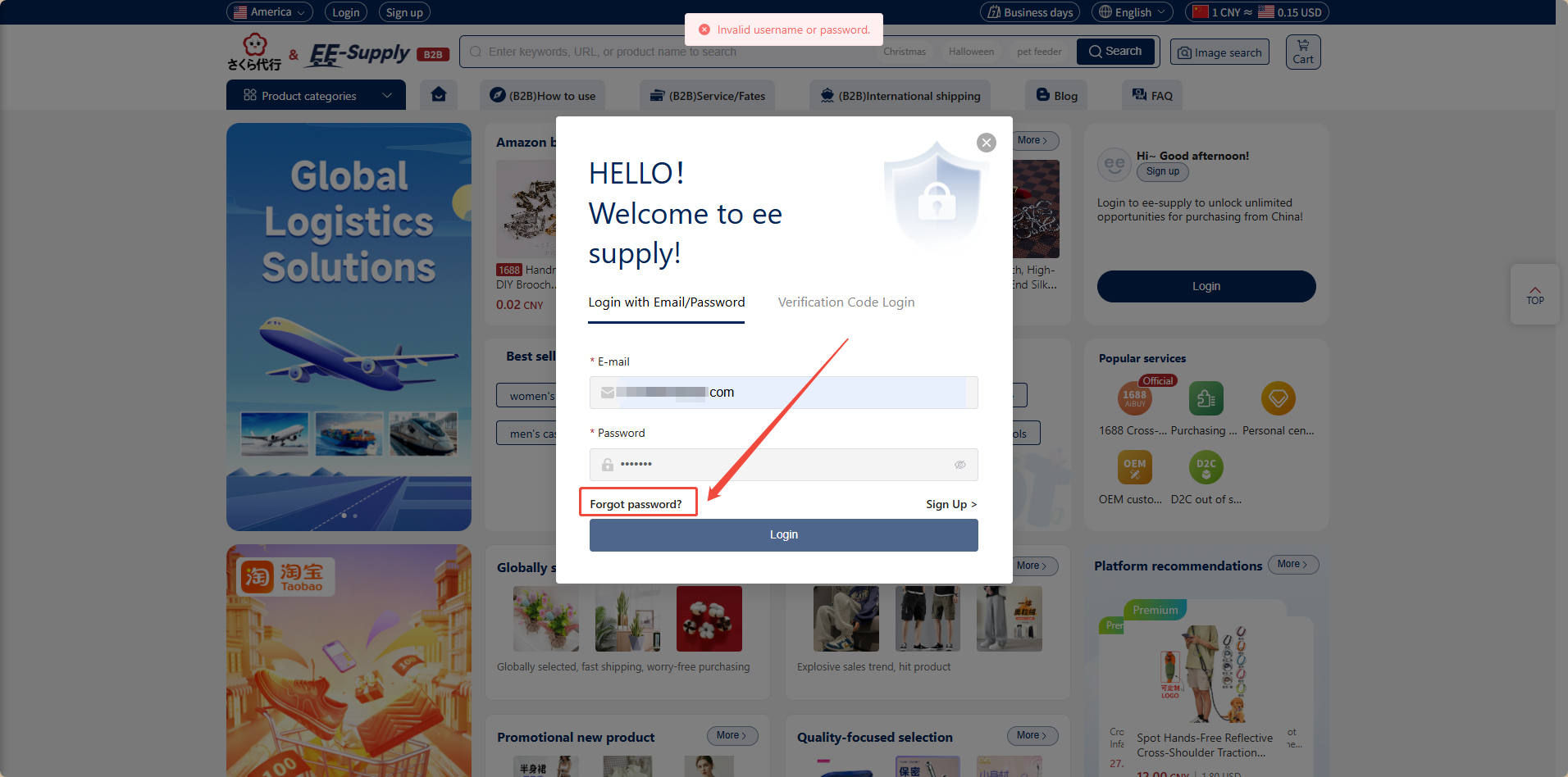
1. In the login pop-up window, click "Forgot Password"
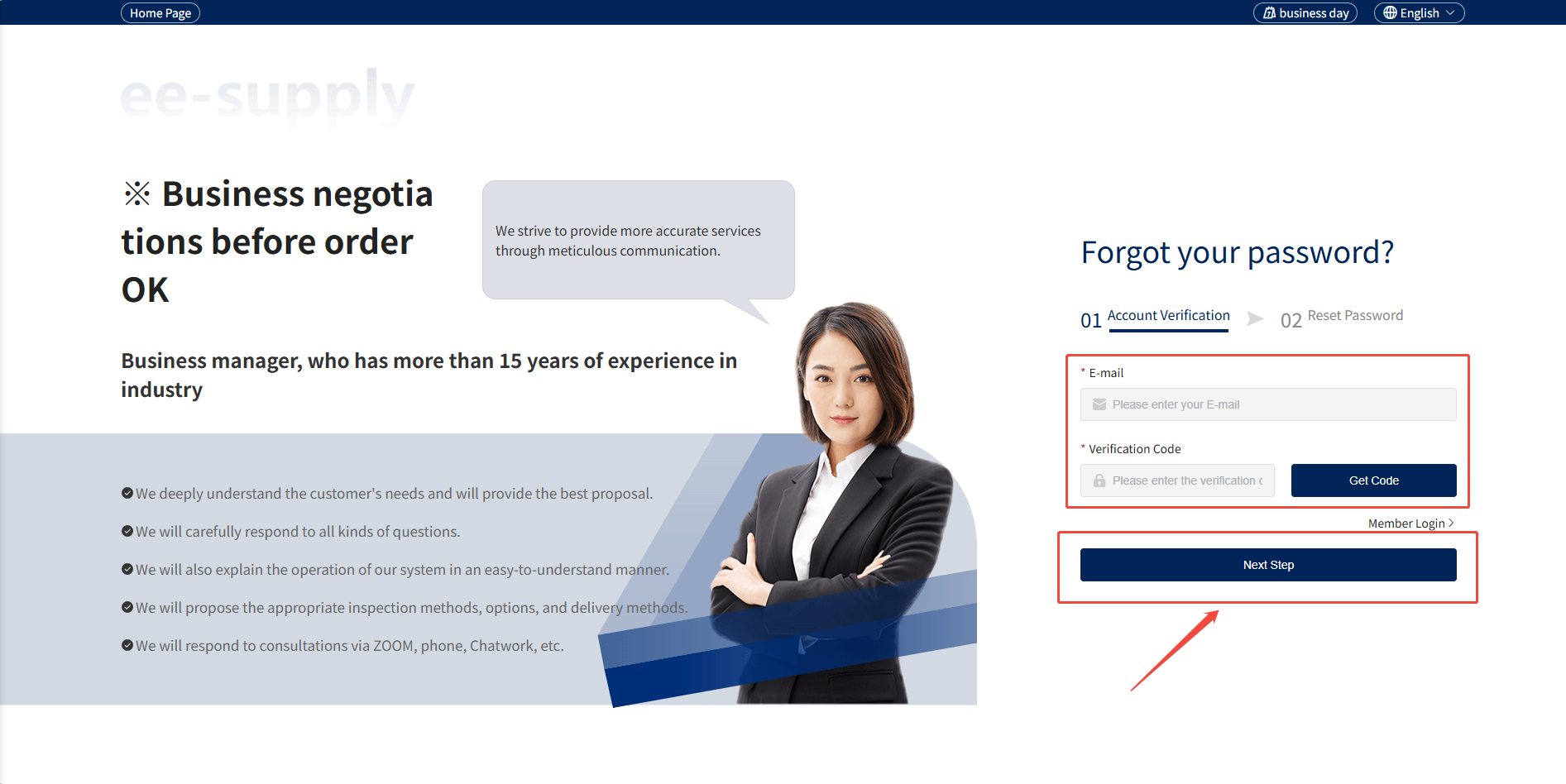
2. On the password recovery page, enter your email address and verification code, then click the “Next Step” button.
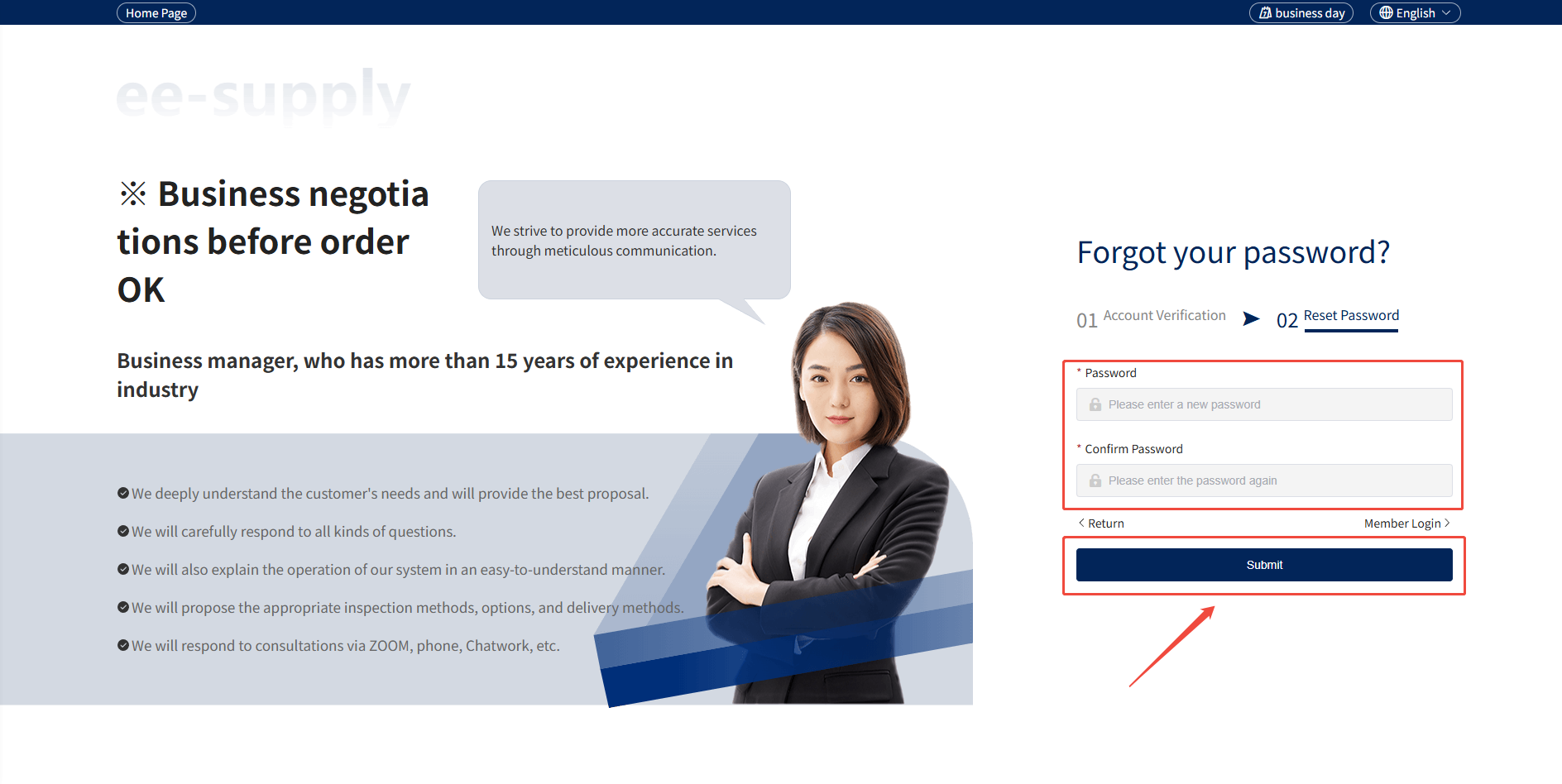
3. Set a new password and confirm it, then click the "Submit" button.



1. In the login pop-up window, click "Forgot Password"
2. On the password recovery page, enter your email address and verification code, then click the “Next Step” button.
3. Set a new password and confirm it, then click the "Submit" button.